
A productive workday rarely happens by accident.
You can have the right tools, a long to-do list, and eight hours available and still finish the day wondering where the time went. Meetings interrupt focused work, emails arrive constantly, small tasks compete with important projects, and working from home can make the boundary between personal time and work even harder to maintain.
The solution isn’t necessarily to work longer. It is to give your workday more structure.
Learning how to structure your workday can help you protect time for your most important work, reduce unnecessary switching between tasks, and make it easier to finish the day knowing what you actually accomplished.
Here is a practical way to organize your workday without trying to schedule every minute.
1. Decide What Actually Needs to Get Done
A common mistake is starting the day by opening email.
Within minutes, other people’s requests can determine what you work on first.
Instead, begin by identifying the most important things you need to accomplish.
Try choosing:
- One major priority
- Two or three secondary tasks
- Smaller administrative tasks that can wait until later
This forces you to distinguish between important work and work that simply feels urgent.
A 20-item to-do list can create the illusion that everything has equal importance. It doesn’t.
If you finish 15 small tasks but leave the one project that really mattered untouched, it probably wasn’t a particularly productive day.
Ask yourself:
If I could complete only one meaningful thing today, what would it be?
That task should have a protected place in your schedule.
2. Stop Using Your To-Do List as Your Schedule
A to-do list tells you what needs to happen.
It doesn’t tell you when you’re going to do it.
That’s an important difference.
One way to solve this is with time blocking. Asana’s guide to time blocking describes the method as assigning specific periods on your calendar to particular tasks or types of work.
Instead of having a list that says:
- Finish proposal
- Answer email
- Prepare presentation
- Call client
- Review invoices
Your calendar might look more like:
9:00–10:30: Proposal
10:30–11:00: Email and messages
11:00–12:00: Client calls
1:00–2:30: Presentation
2:30–3:00: Administrative work
The exact schedule isn’t important.
The idea is.
You’re deciding in advance when important work will happen instead of hoping you find time for it somewhere during the day.
3. Protect Your Best Hours for Your Most Important Work
Not every hour of your day is equally productive. Some people think most clearly first thing in the morning. Others need an hour or two before they can concentrate deeply. Pay attention to when you naturally have the most mental energy. Then protect that part of the day. If you do your best strategic or creative work between 9:00 and 11:00 a.m., don’t automatically fill those hours with routine email or meetings.
Use them for the work that actually requires concentration.
Microsoft’s research into modern work patterns has repeatedly highlighted the challenge that meetings, email, chat, and notifications create for focused work. Its Work Trend Index research describes a workday increasingly fragmented by communication and interruptions.
You may not be able to eliminate those interruptions completely. You can, however, decide that certain periods of your day are protected.
4. Create Focus Blocks
Once you’ve identified your most productive hours, create one or two periods where you work on a single important task.
During a focus block:
- Close unnecessary browser tabs
- Silence nonessential notifications
- Put your phone out of reach
- Avoid checking email
- Decline meetings that don’t genuinely require you
- Work on one project at a time
Microsoft has specifically recommended putting focus periods directly on a shared calendar so colleagues know when you’re unavailable. Its guidance on protecting focus in an always-on work environment suggests that visible focus blocks can help communicate when interruptions should be avoided.
A focus block does not need to last four hours.
Even 60–90 minutes of uninterrupted work can be far more useful than several hours of repeatedly switching between your project, inbox, messages, and meetings.
5. Batch Similar Tasks Together
Every small task doesn’t need immediate attention.
Instead of checking email every time a message arrives, consider creating designated communication periods.
For example:
11:30 a.m.: Email and Slack
2:30 p.m.: Administrative tasks
4:00 p.m.: Final inbox check
The same idea can apply to:
- Phone calls
- Invoicing
- Approvals
- Scheduling
- Expense reports
- Social media
- Research
- Reviewing documents
Batching similar tasks reduces the number of times your brain has to switch between completely different kinds of work.
If you’re writing a proposal, answering three emails, reviewing an invoice, returning to the proposal, joining a call, and then trying to remember where you were in the proposal, a surprising amount of your day can disappear into transitions.
6. Don’t Schedule Every Minute
Structuring your day does not mean creating an inflexible calendar with no room for anything unexpected.
Unexpected work will happen.
A client will call.
A meeting will run long.
A task you expected to take 20 minutes will take an hour.
Leave some open space.
For many professionals, scheduling roughly 70–80% of the available workday and leaving the rest flexible is more realistic than filling every available minute.
Think of your calendar as a framework rather than a contract.
If everything goes according to plan, you have extra time.
If something unexpected happens, your entire schedule doesn’t collapse.
7. Give Meetings a Specific Purpose
Meetings can easily take over a workday because they are simple to schedule and difficult to decline.
Before accepting or organizing one, ask:
- What decision needs to be made?
- Does this require a meeting?
- Who actually needs to attend?
- Could this be handled by email or a shared document?
- How much time does the discussion really need?
A 30-minute meeting doesn’t have to become an hour just because an hour is available on everyone’s calendar.
And not everyone needs to attend every meeting.
Microsoft has also encouraged organizations to reconsider unnecessary meetings and protect more time for focused work.
When you do need a meeting, make it purposeful.
Have an agenda. Identify the outcome you want. End with clear responsibilities and next steps.
8. Build Breaks Into the Day
Working continuously for eight hours isn’t necessarily the most effective way to use eight hours.
Short breaks give you an opportunity to step away from a problem, move around, eat, get outside, or simply stop looking at a screen.
The American Psychological Association has discussed research showing that breaks can support mood, well-being, and people’s capacity to perform. Its article “Give Me a Break” also notes that the quality of a break matters—not every form of distraction is equally restorative.
A break can be simple:
- Walk outside for 10 minutes
- Get coffee without checking your phone
- Eat lunch away from your desk
- Stretch
- Talk with another person
- Move to a different environment
You don’t need a complicated productivity system.
Sometimes you just need to stop working for a few minutes.
9. Separate Communication Time From Concentration Time
Email, Slack, Teams, phone calls, and text messages create the expectation that everyone should always be reachable.
But being constantly reachable can make sustained concentration almost impossible.
Try dividing your workday into two modes.
Communication Mode
This is when you:
- Check email
- Respond to messages
- Return phone calls
- Meet with colleagues
- Handle requests
Focus Mode
This is when you:
- Write
- Analyze
- Design
- Plan
- Research
- Solve difficult problems
- Work on important projects
You need both.
The problem comes when you try to do both at the same time.
A productive workday creates space for communication without allowing communication to consume the entire day.
10. Create a Better Environment for Focus
Sometimes your schedule isn’t the problem.
Your environment is.
Working from home can be convenient, but it can also introduce distractions:
- Household chores
- Family interruptions
- Television
- Pets
- Deliveries
- Neighborhood noise
- An uncomfortable desk
- An unreliable internet connection
Coffee shops solve some of those problems but introduce others, including noise, limited privacy, crowded tables, and difficulty taking calls.
Changing environments can sometimes make it easier to mentally shift into work mode.
If you regularly struggle to concentrate at home, working from a dedicated professional environment—even occasionally—can create a clearer boundary between work time and personal time.
Professionals looking for a coworking space on Cape Cod can use CapeSpace’s shared workspaces in Hyannis and Mashpee Commons for focused work without committing to a traditional office.
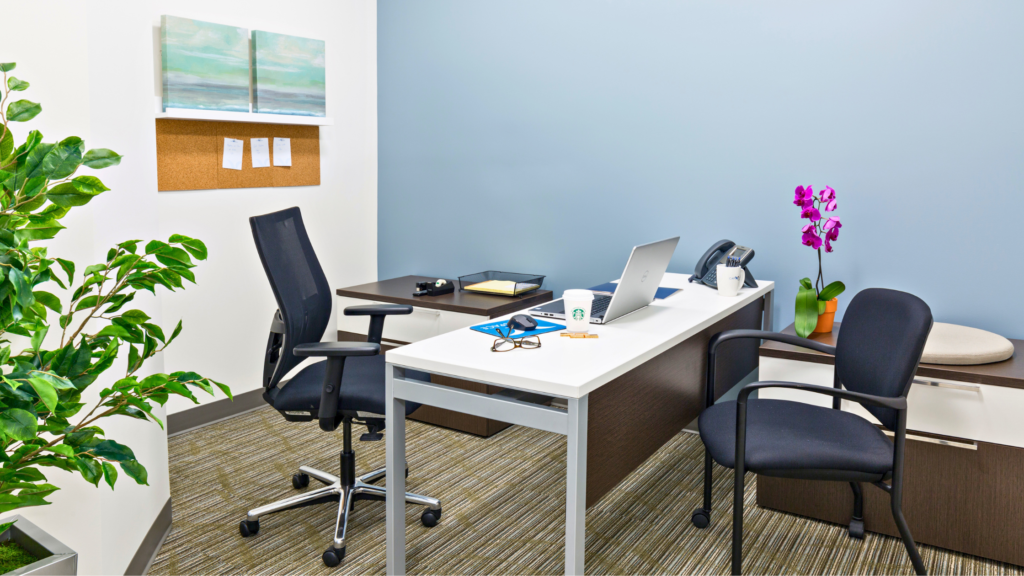
CapeSpace also offers private offices when your workday requires additional privacy or fewer distractions.
11. Match Your Workspace to the Work You’re Doing
You don’t necessarily need to work in the same place all day.
Different tasks benefit from different environments.
Open Workspace
Good for:
- Routine work
- Networking
- Administrative tasks
- General laptop work
Private Office
Better for:
- Focused projects
- Confidential work
- Client calls
- Interviews
- Video meetings
Meeting Room
Better for:
- Team meetings
- Presentations
- Brainstorming
- Client meetings
- Workshops
Phone or Zoom Room
Useful for:
- Virtual meetings
- Interviews
- Sales calls
- Short confidential conversations
Rather than asking, “Where should I work today?” ask:
“What kind of work am I doing today?”
Then choose an environment that supports it.
CapeSpace’s Hyannis location, for example, includes shared workspace, private offices, meeting rooms, and hourly and daily rentals, allowing workers to choose different environments depending on what their day requires.
12. Create an End-of-Day Routine
One of the biggest problems with flexible and remote work is that the workday can quietly continue into the evening.
You answer one final email.
Then another.
Then you remember something you didn’t finish.
Suddenly you’re still working an hour after you intended to stop.
Create a simple shutdown routine.
During the final 10–15 minutes of your workday:
- Review what you completed.
- Write down anything unfinished.
- Identify tomorrow’s most important task.
- Check tomorrow’s calendar.
- Close your work applications.
- Stop working.
The goal isn’t simply organization.
It’s giving your brain permission to leave work behind.
Tomorrow already has a starting point, so you don’t need to keep mentally managing your task list all evening.
An Example of a Well-Structured Workday
There is no perfect schedule, but a typical day might look like this:
8:30–9:00
Review priorities and plan the day.
9:00–10:30
Focus block for the day’s most important project.
10:30–11:00
Break, email, and messages.
11:00–12:00
Meetings or calls.
12:00–1:00
Lunch away from the desk.
1:00–2:30
Second focused work block.
2:30–3:00
Email and administrative tasks.
3:00–4:00
Collaborative work or meetings.
4:00–4:30
Finish smaller tasks and respond to messages.
4:30–4:45
Review the day and prepare tomorrow’s priorities.
Your actual schedule might look completely different.
That’s fine.
The important part is creating deliberate periods for focus, communication, meetings, breaks, and administration instead of allowing all five to compete for your attention throughout the entire day.
What If Your Day Doesn’t Go According to Plan?
It won’t. At least not every day. A structured workday isn’t about following a schedule perfectly.
It’s about making conscious decisions about your time. If an urgent problem takes over your morning, adjust your afternoon. If a focus block gets interrupted, move it. If your priorities change, update them. The system should help you work—not become another source of stress.
A good schedule is flexible enough to survive a real workday.
How to Structure Your Workday: A Simple Formula
If you want to simplify everything in this article, start with five habits:
- Choose your most important task before opening your inbox.
- Put important work on your calendar, not just your to-do list.
- Protect one or two uninterrupted focus periods.
- Batch email, calls, and administrative work.
- End the day by deciding where you’ll start tomorrow.
You can add more sophisticated productivity methods later.
Start with structure.
Your Workday Should Work for You
Productivity isn’t about squeezing activity into every available minute.
It’s about making sure the work that matters actually gets done.
A well-structured day creates time for deep work without ignoring communication, builds in breaks without losing momentum, and gives meetings a purpose instead of allowing them to consume the calendar.
And sometimes improving your workday requires changing more than your schedule.
Your physical environment, privacy, internet connection, and ability to separate work from home can all influence how easy it is to concentrate.
If you need a professional place to put that structure into practice, CapeSpace offers shared workspace, private offices, meeting rooms, and flexible hourly and daily workspace in Hyannis and Mashpee Commons.